 Everkept
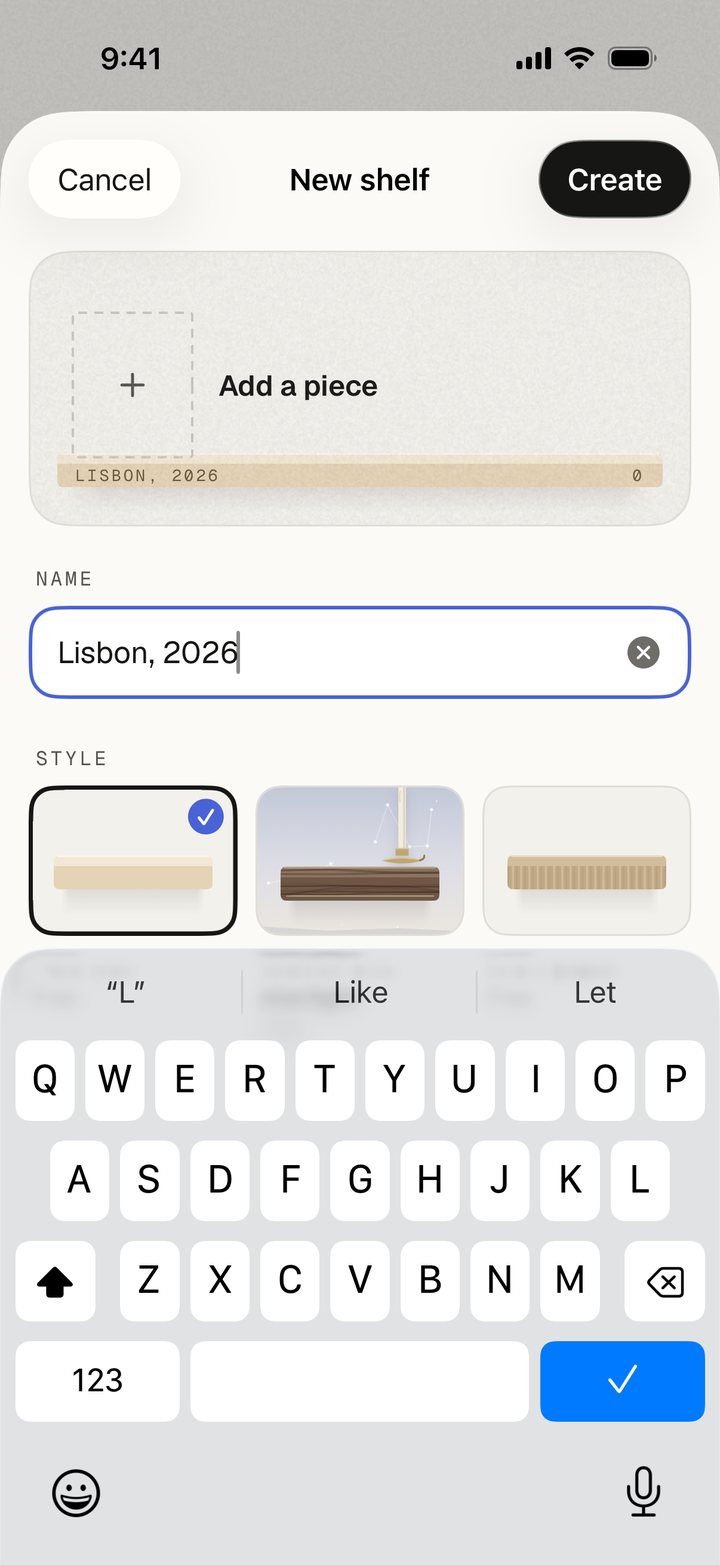
Make a shelf.
Name it for a person, a place, or whatever comes to mind. There’s no right way to arrange a life.
Free on iPhone · No subscription
Make a shelf for a place, a person, a little part of your life. Add the photos, voices, and things that belong there.
Available in beta through TestFlight. iOS 26 or later.
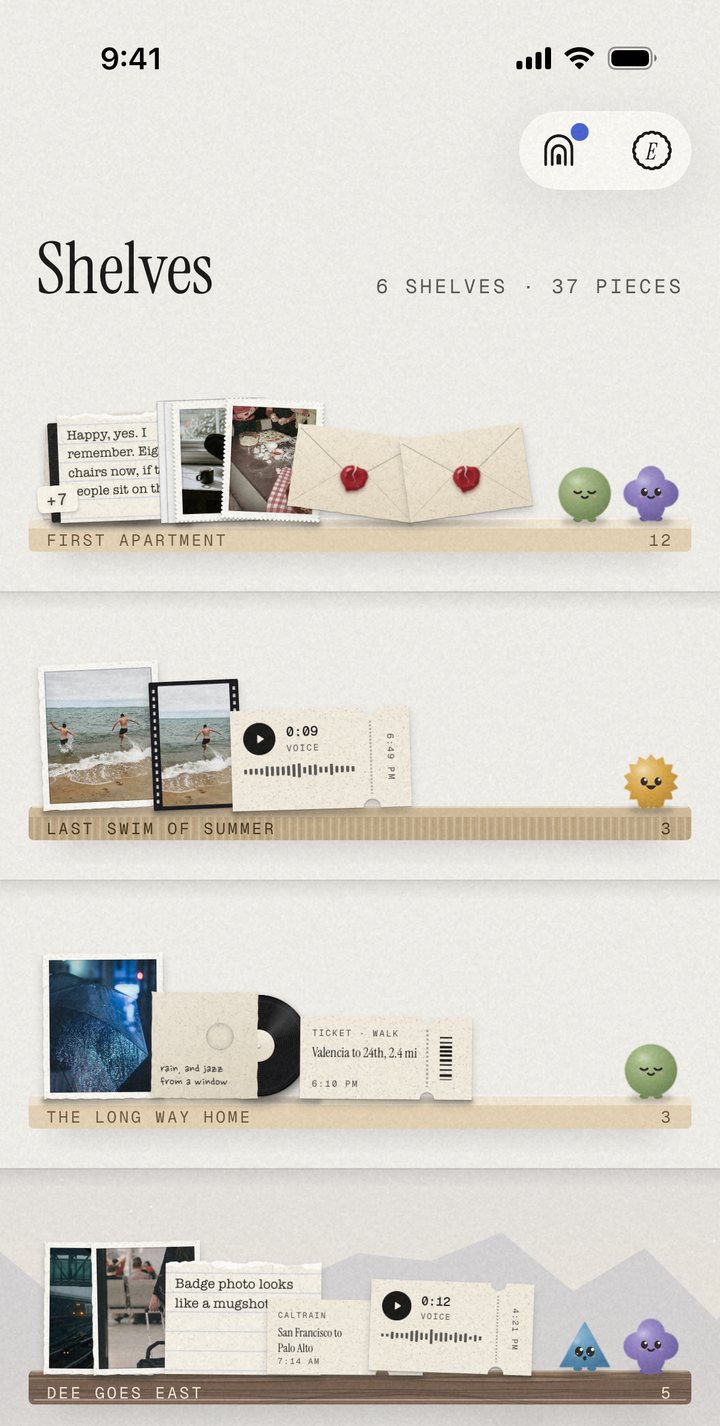
First apartment. Last swim.
The long way home.
Some things belong together.
A shelf gives them a place.
A place for what matters
A trip. Your grandma’s kitchen. The first home that felt like yours. You decide what goes together.
Name it for a person, a place, or whatever comes to mind. There’s no right way to arrange a life.
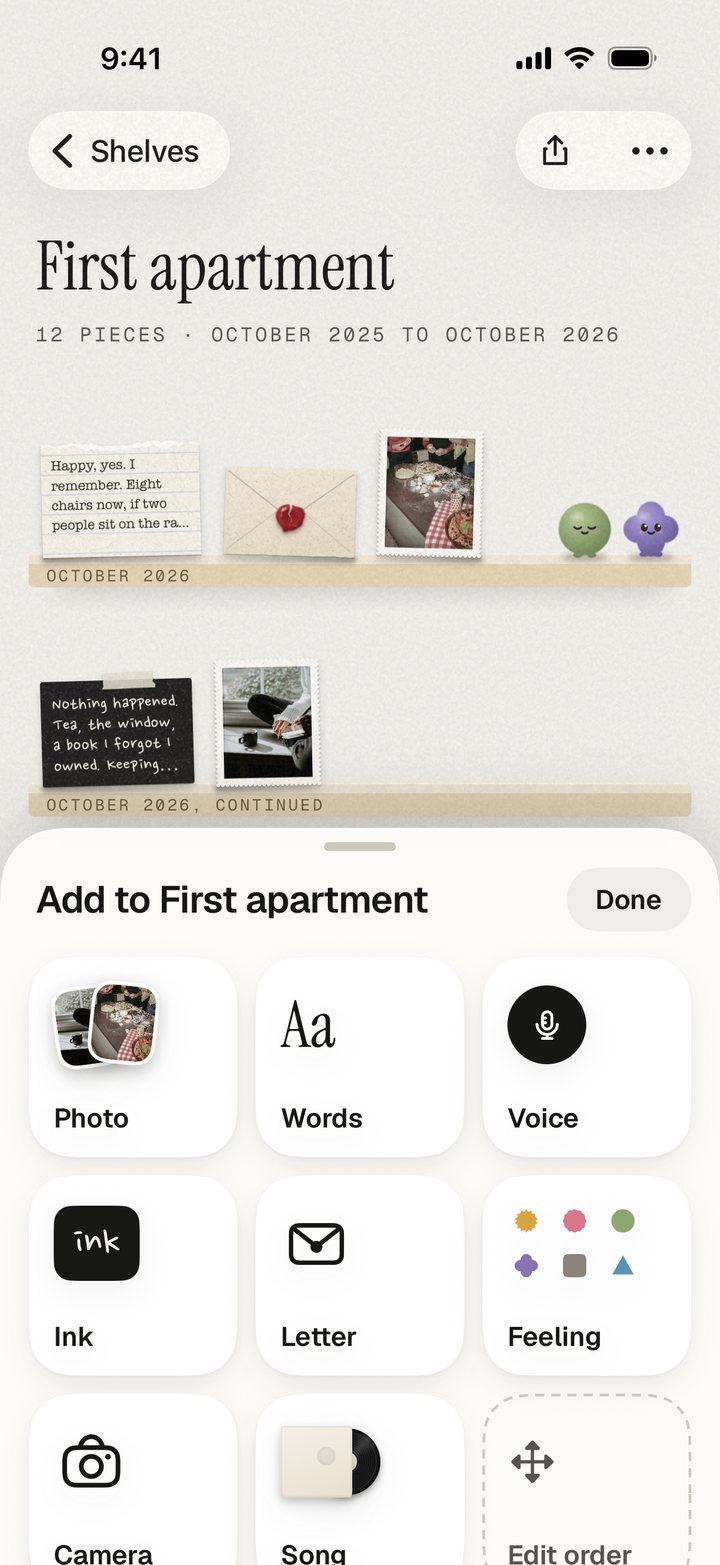
A photo, a few words, a voice you love. Add another whenever it belongs. Let the shelf grow.
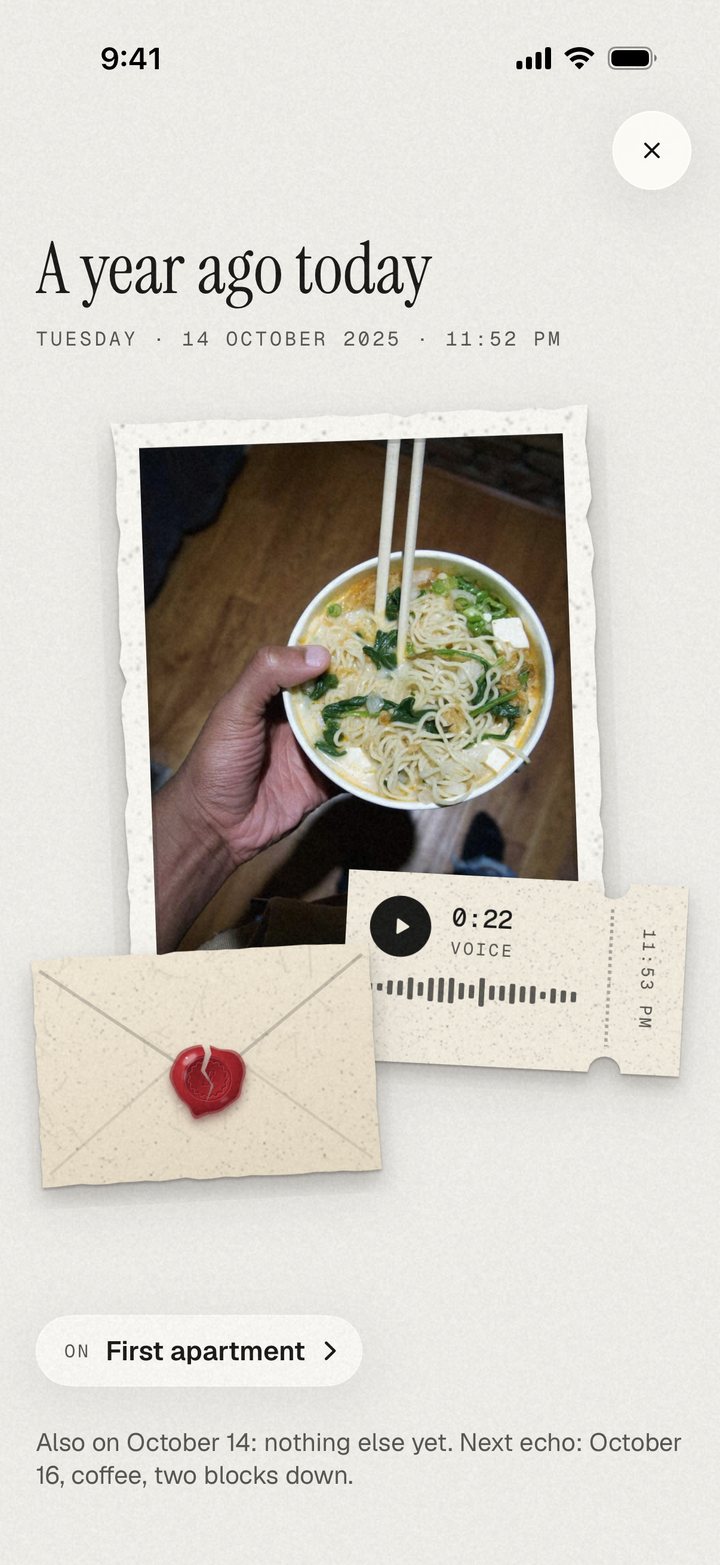
Visit a shelf when you feel like it. Echoes brings back pieces from this date in earlier years.
Every object has a story
The picture is only part of it. There was a song playing. Someone said something. You saved the ticket.
Put them together on a shelf. Open a piece and you’re back there.
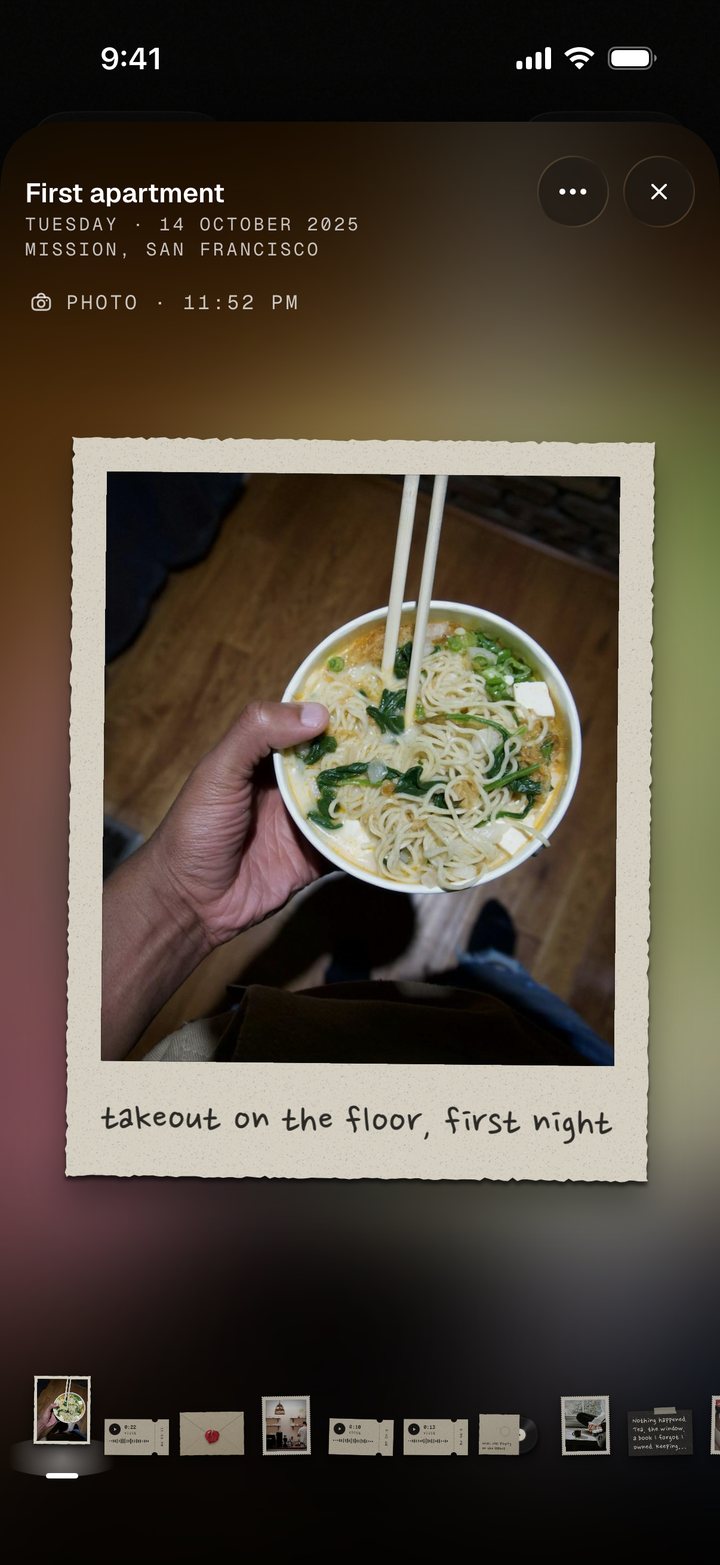
Takeout on the floor. Our first night.
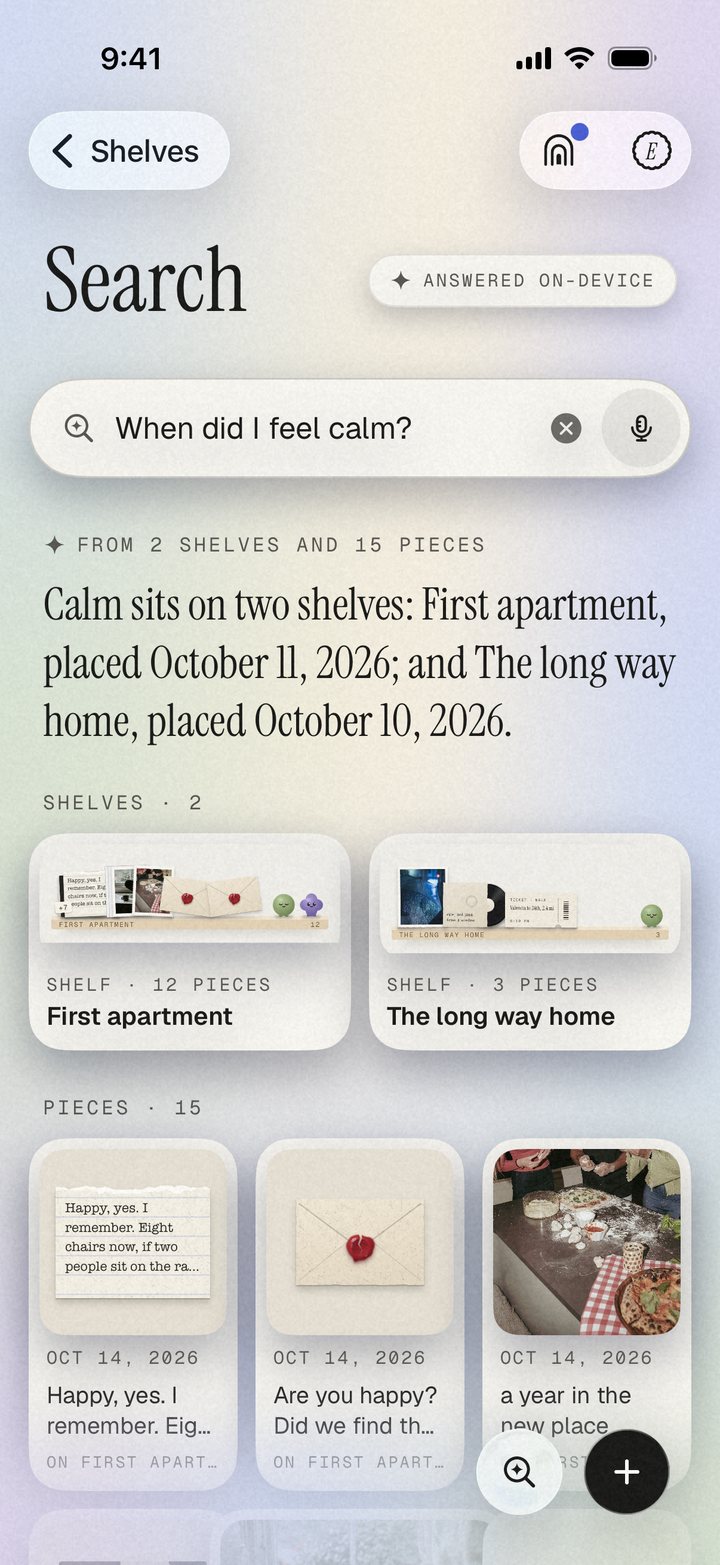
A way back to a feeling
Sometimes you remember a feeling before you remember the photo. Ask a question and find the shelves and pieces that hold it.
Calm, tender, bright. Feelings are small toys you can stand on a shelf. They’re optional, and they only ever mean how it felt.
Search is answered on your iPhone.
A starting point
Turn a trip, a weekend, or a run of photos into a shelf from one pick in Apple’s Journaling Suggestions.
A hello for later
Add a letter to open later. A few words from who you are now, waiting for who you’ll be.
A look for each shelf
Pale oak, Walnut and starlight, or Kraft paper. Pick one when you make a shelf.
Room for your whole life
All the core features are free. Later, optional shelf styles will be one-time purchases, including crafts of the world drawn by real artists.
For the app.
For every piece.
No subscription.
Your collection belongs to you
Your pieces stay on your iPhone and in your own iCloud. We never see what you add.
Read the privacy policy ↗Your photos, notes, and recordings live with you. iCloud sync uses your own Apple Account.
Answers are worked out on your iPhone, from the pieces and feelings you added. No AI model, and nothing is sent away to answer them.
The app may count anonymous usage, with no stored ID. Your pieces are never part of it, and a switch in Settings turns it off.
Song search uses Apple Music. Quick shelf opens Apple’s Journaling Suggestions, and only what you choose comes in. The privacy policy has the rest.
Before your first shelf
Yes. All core features are free, with no subscription. Optional shelf styles will be one-time purchases later.
Photos, short videos, voice notes, words, songs, tickets, ink, feelings and letters to open later. Group pieces by whatever matters to you.
No. There are no streaks, no daily reminders and no missed days. Make a shelf when something is worth remembering. Add pieces at your own pace.
On your iPhone and in your own iCloud. We never see them. Anonymous usage counting is separate and can be switched off in Settings.
The current beta needs an iPhone with iOS 26 or later. Install Apple’s TestFlight app, then open the beta invite.
Everkept is planned for the App Store. Your collection comes with you on the same iPhone and iCloud account.
Yes. Share a copy of a piece or a whole shelf, as a picture or a short video, from the share sheet.
Keep the days that kept you.
A person. A place. Something you don’t want to forget.
App Store · Coming soon
Free on iPhone · No subscription · iOS 26 or later
New to TestFlight? Get Apple’s free TestFlight app.